Device comparison

8BCraft Retrostone 1 vs. 1UP Pi-Boy XL

Compare specs, emulation support, community reviews, ownership, and play history.

Compare

With

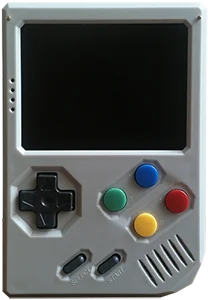
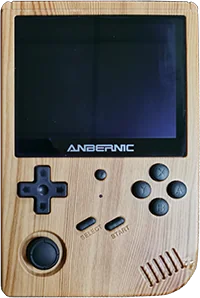
Retrostone 1
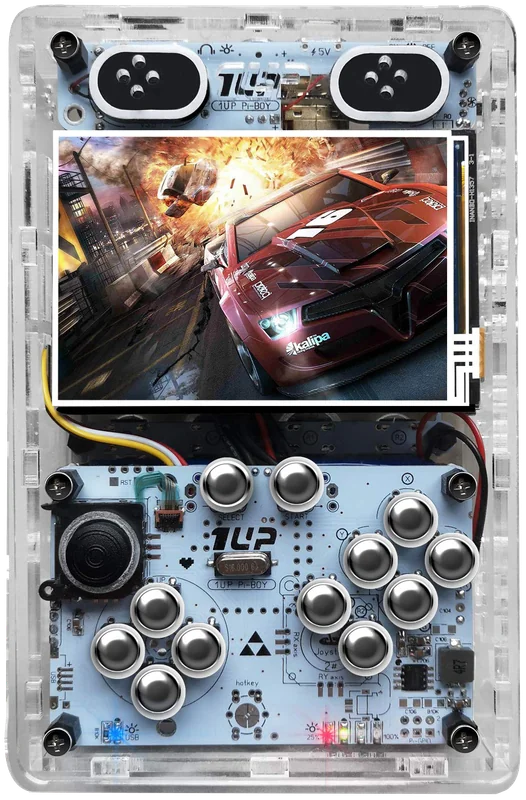
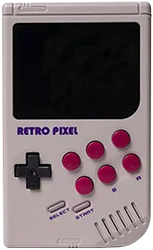
1UP Pi-Boy XL

Shown to scale from each device’s real-world dimensions.

Quick verdict

Best value
Retrostone 1
Better screen
1UP Pi-Boy XL
More portable
Retrostone 1
Newer model
1UP Pi-Boy XL

Main differences

  • 1UP Pi-Boy XL has similar emulation coverage to 8BCraft Retrostone 1.
  • 8BCraft Retrostone 1 is about $18 cheaper based on catalog pricing.
  • 8BCraft Retrostone 1 is roughly 25% smaller and 40% lighter.
  • 1UP Pi-Boy XL has a 60 Hz IPS screen, versus 60 Hz Analog TFT on 8BCraft Retrostone 1.
  • 1UP Pi-Boy XL runs Linux (RetroPie); 8BCraft Retrostone 1 runs Linux - RetrorangePi.

8BCraft

Retrostone 1

Details
Price
$157
OS
Linux - RetrorangePi
Released
Jan 2018
Up to
N64
Screen
3.5 inch Analog TFT
Weight
300 grams

No reviews yet

0 collectors

1UP

1UP Pi-Boy XL

Details
Price
$175
OS
Linux (RetroPie)
Released
Apr 2019
Up to
PS1
Screen
3.5 inch IPS
Weight
500 grams

No reviews yet

0 collectors

Specs

BetterWorse

SpecRetrostone 11UP Pi-Boy XL
Price$157$175
OSLinux - RetrorangePiLinux (RetroPie)
Aspect ratio4:33:2
Resolution320 x 240480 x 320
PanelAnalog TFTIPS
ChipsetAllwinner H3Broadcom BCM2837B0
CPUCortex-A7Cortex-A53
GPUMali-400 MP2Broadcom VideoCore IV
RAM1 GB DDR1 GB DDR2
Battery3000 mAh9000 mAh
Weight300 grams500 grams
Dimensions130 mm x 90 mm x 25 mm157 mm x 99 mm x 35 mm
BluetoothNoYes

Emulation

Excellent › Good › Playable › Limited › Unsupported

SystemRetrostone 11UP Pi-Boy XL
Classic systems
Game Boy
NES
Genesis
GBA
SNES
PS1
Mid-generation systems
DS
N64
Dreamcast
PSP
Saturn
Sixth-generation systems
GameCube
Wii
PS2
Modern systems
3DS
Switch
Wii U
PS3

Emulation source notes

  • Retrostone 1 DS: Nintendo DS: Most games playable but mostly with frameskip, struggles with harder to emulate games This device does not have a touchscreen, so you won't be able to play DS games that rely heavily on the touchscreen
  • 1UP Pi-Boy XL DS: Nintendo DS: Most games playable but mostly with frameskip, struggles with harder to emulate games This device does not have a touchscreen, so you won't be able to play DS games that rely heavily on the touchscreen
  • Retrostone 1 3DS: Nintendo 3DS: Either cannot run any games at all or games are unplayably slow
  • 1UP Pi-Boy XL 3DS: Nintendo 3DS: Either cannot run any games at all or games are unplayably slow
  • Retrostone 1 GBA: Nintendo Game Boy Advance: Almost all games playable at full speed without frameskip
  • 1UP Pi-Boy XL GBA: Nintendo Game Boy Advance: Almost all games playable at full speed without frameskip
  • Retrostone 1 N64: Nintendo 64: Most games playable at full speed, a few games have lower frame rates but still mostly playable with frameskip
  • 1UP Pi-Boy XL N64: Nintendo 64: Most games playable but mostly with frameskip, struggles with harder to emulate games
  • Retrostone 1 NES: Nintendo Entertainment System: Almost all games playable at full speed without frameskip
  • 1UP Pi-Boy XL NES: Nintendo Entertainment System: Almost all games playable at full speed without frameskip
  • Retrostone 1 PS1: Sony Playstation: Almost all games playable at full speed without frameskip
  • 1UP Pi-Boy XL PS1: Sony Playstation: Almost all games playable at full speed without frameskip
  • Retrostone 1 PS2: Sony Playstation 2: Either cannot run any games at all or games are unplayably slow
  • 1UP Pi-Boy XL PS2: Sony Playstation 2: Either cannot run any games at all or games are unplayably slow
  • Retrostone 1 PS3: Sony Playstation 3: Either cannot run any games at all or games are unplayably slow
  • 1UP Pi-Boy XL PS3: Sony Playstation 3: Either cannot run any games at all or games are unplayably slow
  • Retrostone 1 PSP: Sony Playstation Portable: Only the easiest to emulate games are barely playable
  • 1UP Pi-Boy XL PSP: Sony Playstation Portable: Only the easiest to emulate games are barely playable
  • Retrostone 1 Wii: Nintendo Wii: Either cannot run any games at all or games are unplayably slow
  • 1UP Pi-Boy XL Wii: Nintendo Wii: Either cannot run any games at all or games are unplayably slow
  • Retrostone 1 SNES: Super Nintendo Entertainment System: Almost all games playable at full speed without frameskip
  • 1UP Pi-Boy XL SNES: Super Nintendo Entertainment System: Almost all games playable at full speed without frameskip
  • Retrostone 1 Wii U: Nintendo Wii U: Either cannot run any games at all or games are unplayably slow
  • 1UP Pi-Boy XL Wii U: Nintendo Wii U: Either cannot run any games at all or games are unplayably slow
  • Retrostone 1 Saturn: Sega Saturn: Only the easiest to emulate games are barely playable
  • 1UP Pi-Boy XL Saturn: Sega Saturn: Only the easiest to emulate games are barely playable
  • Retrostone 1 Switch: Nintendo Switch: Either cannot run any games at all or games are unplayably slow
  • 1UP Pi-Boy XL Switch: Nintendo Switch: Either cannot run any games at all or games are unplayably slow
  • Retrostone 1 Genesis: Sega Genesis / Mega Drive: Almost all games playable at full speed without frameskip
  • 1UP Pi-Boy XL Genesis: Sega Genesis / Mega Drive: Almost all games playable at full speed without frameskip
  • Retrostone 1 Game Boy: Game Boy / Game Boy Color: Almost all games playable at full speed without frameskip
  • 1UP Pi-Boy XL Game Boy: Game Boy / Game Boy Color: Almost all games playable at full speed without frameskip
  • Retrostone 1 GameCube: Nintendo GameCube: Either cannot run any games at all or games are unplayably slow
  • 1UP Pi-Boy XL GameCube: Nintendo GameCube: Either cannot run any games at all or games are unplayably slow
  • Retrostone 1 Dreamcast: Sega Dreamcast: Most games playable but mostly with frameskip, struggles with harder to emulate games
  • 1UP Pi-Boy XL Dreamcast: Sega Dreamcast: Most games playable but mostly with frameskip, struggles with harder to emulate games

Frequently asked

What's the difference between the 8BCraft Retrostone 1 and the 1UP Pi-Boy XL?
1UP Pi-Boy XL has similar emulation coverage to 8BCraft Retrostone 1. 8BCraft Retrostone 1 is about $18 cheaper based on catalog pricing. 8BCraft Retrostone 1 is roughly 25% smaller and 40% lighter. 1UP Pi-Boy XL has a 60 Hz IPS screen, versus 60 Hz Analog TFT on 8BCraft Retrostone 1. 1UP Pi-Boy XL runs Linux (RetroPie); 8BCraft Retrostone 1 runs Linux - RetrorangePi.
Which is cheaper, the 8BCraft Retrostone 1 or the 1UP Pi-Boy XL?
The 8BCraft Retrostone 1 is the cheaper of the two at around $157, roughly $18 less than the 1UP Pi-Boy XL based on catalog pricing.
Which is newer, the 8BCraft Retrostone 1 or the 1UP Pi-Boy XL?
The 1UP Pi-Boy XL is the newer model, released in 2019.

Compare Retrostone 1 with