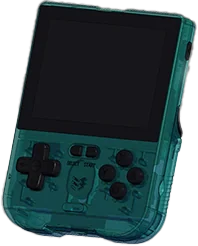
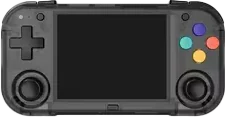
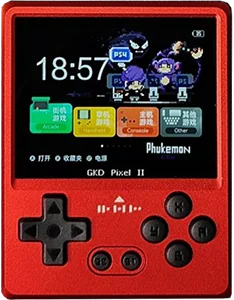
MagicX XU Mini M vs. TRIMUI Brick Hammer

Specs, emulation, community reviews, ownership and play history, side by side.

Compare
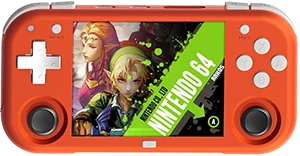
With
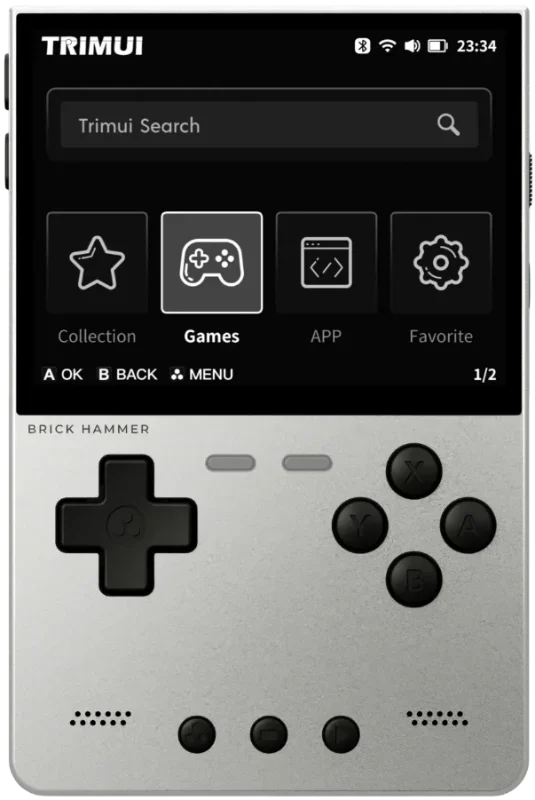
Shown to scale from each device’s real-world dimensions.

Quick verdict

Best value
XU Mini M
More portable
XU Mini M
Newer model
TRIMUI Brick Hammer

Main differences

  • TRIMUI Brick Hammer has stronger listed emulation coverage.
  • MagicX XU Mini M is about $45 cheaper based on catalog pricing.
  • TRIMUI Brick Hammer is roughly 3% smaller and 63% lighter.
  • TRIMUI Brick Hammer has a IPS screen, versus 60 Hz IPS on MagicX XU Mini M.
  • TRIMUI Brick Hammer runs TRIMUI UI; MagicX XU Mini M runs Linux.
  • TRIMUI Brick Hammer is highlighted for PS1, GBA, SNES, Game Boy; MagicX XU Mini M is highlighted for PS1, Genesis, GBA, SNES.

MagicX

XU Mini M

Details
Price
$50.00
OS
Linux
Released
Jul 2024
Up to
DS
Screen
2.8 inch IPS
Weight
120 grams

We’re not tracking prices for this one yet.

No reviews yet

2 collectors

TRIMUI

TRIMUI Brick Hammer

Details
Price
$95.00
OS
TRIMUI UI
Released
Aug 2025
Up to
DS
Screen
3.2 inches IPS
Weight
196 grams

AliExpress

Amazon

We’ll email you when it drops. No account needed.

Usually $100.49 · Lowest $90.99

No reviews yet

3 collectors

Specs

BetterWorse

SpecXU Mini MTRIMUI Brick Hammer
Price$50.00$95.00
OSLinuxTRIMUI UI
Screen2.8 inch3.2 inches
Resolution640 x 4801024 x 768
Refresh rate60 HzUnknown
ChipsetRockChip RK3326Allwinner A133P
CPUCortex-A35ARM Cortex-A53
GPUMali-G31 MP2Imagination PowerVR GE8300
RAM1 GB DDR41 GB
StorageDual External MicroSD8 GB eMMC
Battery2600 mAh3000 mAh Li-polymer, 3.7 V
Weight120 grams196 grams
Dimensions129 mm x 64 mm x 19 mm73.2 x 109.9 x 11.8–19.9 mm
BluetoothNoYes
Stick typeHall effectUnknown

Emulation

Excellent › Good › Playable › Limited › Unsupported

SystemXU Mini MTRIMUI Brick Hammer
Classic systems
Game BoyExcellent
NESExcellent
GenesisExcellent
GBAExcellent
SNESExcellent
PS1Excellent
Mid-generation systems
DSGood
N64Playable
DreamcastPlayable
PSPPlayable
SaturnLimited
Sixth-generation systems
GameCubeUnsupported
WiiUnknown
PS2Unsupported
Modern systems
3DSUnknown
SwitchUnknown
Wii UUnknown
PS3Unknown

Emulation source notes

  • XU Mini M DS: Nintendo DS: Most games playable at full speed, a few games have lower frame rates but still mostly playable with frameskip This device does not have a touchscreen, so you won't be able to play DS games that rely heavily on the touchscreen
  • XU Mini M 3DS: Nintendo 3DS: Either cannot run any games at all or games are unplayably slow
  • XU Mini M GBA: Nintendo Game Boy Advance: Almost all games playable at full speed without frameskip
  • XU Mini M N64: Nintendo 64: Most games playable but mostly with frameskip, struggles with harder to emulate games
  • XU Mini M NES: Nintendo Entertainment System: Almost all games playable at full speed without frameskip
  • XU Mini M PS1: Sony Playstation: Almost all games playable at full speed without frameskip
  • XU Mini M PS2: Sony Playstation 2: Either cannot run any games at all or games are unplayably slow
  • XU Mini M PS3: Sony Playstation 3: Either cannot run any games at all or games are unplayably slow
  • XU Mini M PSP: Sony Playstation Portable: Most games playable but mostly with frameskip, struggles with harder to emulate games
  • XU Mini M Wii: Nintendo Wii: Either cannot run any games at all or games are unplayably slow
  • XU Mini M SNES: Super Nintendo Entertainment System: Almost all games playable at full speed without frameskip
  • XU Mini M Wii U: Nintendo Wii U: Either cannot run any games at all or games are unplayably slow
  • XU Mini M Saturn: Sega Saturn: Only the easiest to emulate games are barely playable
  • XU Mini M Switch: Nintendo Switch: Either cannot run any games at all or games are unplayably slow
  • XU Mini M Genesis: Sega Genesis / Mega Drive: Almost all games playable at full speed without frameskip
  • XU Mini M Game Boy: Game Boy / Game Boy Color: Almost all games playable at full speed without frameskip
  • XU Mini M GameCube: Nintendo GameCube: Either cannot run any games at all or games are unplayably slow
  • XU Mini M Dreamcast: Sega Dreamcast: Most games playable but mostly with frameskip, struggles with harder to emulate games

Frequently asked

What's the difference between the MagicX XU Mini M and the TRIMUI Brick Hammer?
TRIMUI Brick Hammer has stronger listed emulation coverage. MagicX XU Mini M is about $45 cheaper based on catalog pricing. TRIMUI Brick Hammer is roughly 3% smaller and 63% lighter. TRIMUI Brick Hammer has a IPS screen, versus 60 Hz IPS on MagicX XU Mini M. TRIMUI Brick Hammer runs TRIMUI UI; MagicX XU Mini M runs Linux. TRIMUI Brick Hammer is highlighted for PS1, GBA, SNES, Game Boy; MagicX XU Mini M is highlighted for PS1, Genesis, GBA, SNES.
Which is cheaper, the MagicX XU Mini M or the TRIMUI Brick Hammer?
The MagicX XU Mini M is the cheaper of the two at around $50.00, roughly $45.00 less than the TRIMUI Brick Hammer based on catalog pricing.
Which is newer, the MagicX XU Mini M or the TRIMUI Brick Hammer?
The TRIMUI Brick Hammer is the newer model, released in 2025.
Which is more popular on retroshelf, the MagicX XU Mini M or the TRIMUI Brick Hammer?
The TRIMUI Brick Hammer is in more collections on retroshelf right now, with 3 collectors tracking it.

Compare XU Mini M with