Excellent › Good › Playable › Limited › Unsupported
System
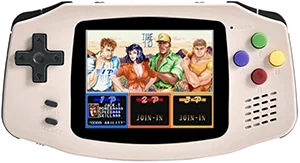
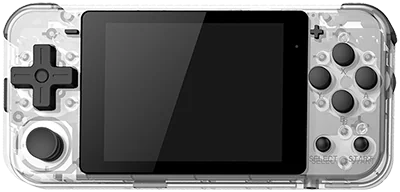
PowKiddy A30
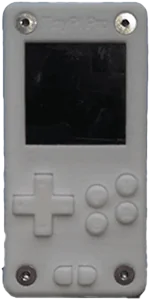
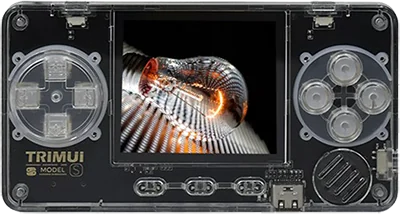
TinyPi Pro
Classic systems
Game Boy
NES
Genesis
GBA
SNES
PS1
Mid-generation systems
DS
N64
Dreamcast
PSP
Saturn
Sixth-generation systems
GameCube
Wii
PS2
Modern systems
3DS
Switch
Wii U
PS3
Emulation source notes
PowKiddy A30 DS: Nintendo DS: Either cannot run any games at all or games are unplayably slow
TinyPi Pro DS: Nintendo DS: Either cannot run any games at all or games are unplayably slow
PowKiddy A30 3DS: Nintendo 3DS: Either cannot run any games at all or games are unplayably slow
TinyPi Pro 3DS: Nintendo 3DS: Either cannot run any games at all or games are unplayably slow
PowKiddy A30 GBA: Nintendo Game Boy Advance: Most games playable at full speed, a few games have lower frame rates but still mostly playable with frameskip
TinyPi Pro GBA: Nintendo Game Boy Advance: Most games playable at full speed, a few games have lower frame rates but still mostly playable with frameskip
PowKiddy A30 N64: Nintendo 64: Either cannot run any games at all or games are unplayably slow
TinyPi Pro N64: Nintendo 64: Only the easiest to emulate games are barely playable
PowKiddy A30 NES: Nintendo Entertainment System: Almost all games playable at full speed without frameskip
TinyPi Pro NES: Nintendo Entertainment System: Almost all games playable at full speed without frameskip
PowKiddy A30 PS1: Sony Playstation: Only the easiest to emulate games are barely playable
TinyPi Pro PS1: Sony Playstation: Most games playable but mostly with frameskip, struggles with harder to emulate games
PowKiddy A30 PS2: Sony Playstation 2: Either cannot run any games at all or games are unplayably slow
TinyPi Pro PS2: Sony Playstation 2: Either cannot run any games at all or games are unplayably slow
PowKiddy A30 PS3: Sony Playstation 3: Either cannot run any games at all or games are unplayably slow
TinyPi Pro PS3: Sony Playstation 3: Either cannot run any games at all or games are unplayably slow
PowKiddy A30 PSP: Sony Playstation Portable: Either cannot run any games at all or games are unplayably slow
TinyPi Pro PSP: Sony Playstation Portable: Either cannot run any games at all or games are unplayably slow
PowKiddy A30 Wii: Nintendo Wii: Either cannot run any games at all or games are unplayably slow
TinyPi Pro Wii: Nintendo Wii: Either cannot run any games at all or games are unplayably slow
PowKiddy A30 SNES: Super Nintendo Entertainment System: Most games playable but mostly with frameskip, struggles with harder to emulate games
TinyPi Pro SNES: Super Nintendo Entertainment System: Most games playable at full speed, a few games have lower frame rates but still mostly playable with frameskip
PowKiddy A30 Wii U: Nintendo Wii U: Either cannot run any games at all or games are unplayably slow
TinyPi Pro Wii U: Nintendo Wii U: Either cannot run any games at all or games are unplayably slow
PowKiddy A30 Saturn: Sega Saturn: Either cannot run any games at all or games are unplayably slow
TinyPi Pro Saturn: Sega Saturn: Either cannot run any games at all or games are unplayably slow
PowKiddy A30 Switch: Nintendo Switch: Either cannot run any games at all or games are unplayably slow
TinyPi Pro Switch: Nintendo Switch: Either cannot run any games at all or games are unplayably slow
PowKiddy A30 Genesis: Sega Genesis / Mega Drive: Almost all games playable at full speed without frameskip
TinyPi Pro Genesis: Sega Genesis / Mega Drive: Almost all games playable at full speed without frameskip
PowKiddy A30 Game Boy: Game Boy / Game Boy Color: Almost all games playable at full speed without frameskip
TinyPi Pro Game Boy: Game Boy / Game Boy Color: Almost all games playable at full speed without frameskip
PowKiddy A30 GameCube: Nintendo GameCube: Either cannot run any games at all or games are unplayably slow
TinyPi Pro GameCube: Nintendo GameCube: Either cannot run any games at all or games are unplayably slow
PowKiddy A30 Dreamcast: Sega Dreamcast: Either cannot run any games at all or games are unplayably slow
TinyPi Pro Dreamcast: Sega Dreamcast: Either cannot run any games at all or games are unplayably slow
Frequently asked
What's the difference between the PowKiddy A30 and the Pi0cket TinyPi Pro?
PowKiddy A30 has similar emulation coverage to Pi0cket TinyPi Pro. PowKiddy A30 has a 60 Hz IPS screen, versus IPS on Pi0cket TinyPi Pro. PowKiddy A30 runs Trimui OS; Pi0cket TinyPi Pro runs Linux (RetroPie).
Which is newer, the PowKiddy A30 or the Pi0cket TinyPi Pro?
The PowKiddy A30 is the newer model, released in 2021.