Device comparison

PowKiddy RGB20 vs. TRIMUI Brick Hammer

Compare specs, emulation support, community reviews, ownership, and play history.

Compare
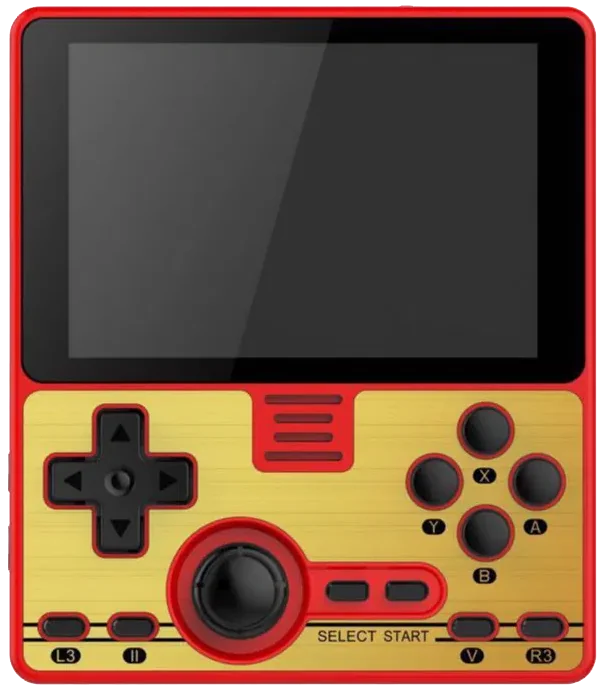
With
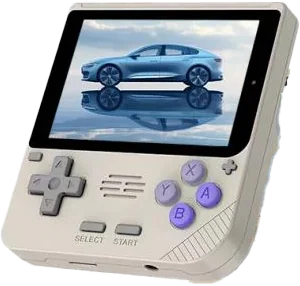
PowKiddy RGB20
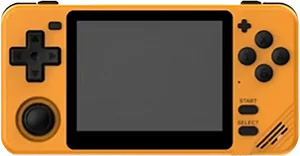
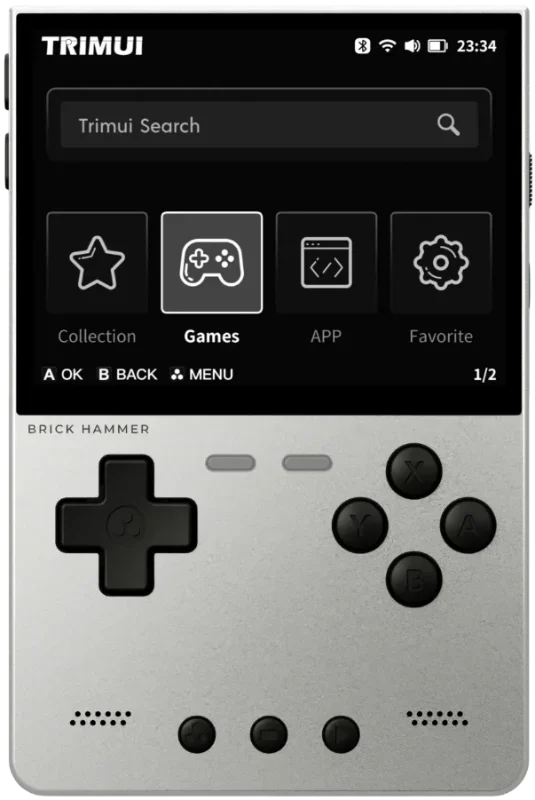
TRIMUI Brick Hammer

Shown to scale from each device’s real-world dimensions.

Quick verdict

Best value
PowKiddy RGB20
More portable
TRIMUI Brick Hammer
Newer model
TRIMUI Brick Hammer

Main differences

  • TRIMUI Brick Hammer has stronger listed emulation coverage.
  • PowKiddy RGB20 is about $5 cheaper based on catalog pricing.
  • TRIMUI Brick Hammer is roughly 20% smaller.
  • TRIMUI Brick Hammer has a IPS screen, versus 60 Hz IPS on PowKiddy RGB20.
  • TRIMUI Brick Hammer runs TRIMUI UI; PowKiddy RGB20 runs Linux.
  • TRIMUI Brick Hammer is highlighted for PS1, GBA, SNES, Game Boy; PowKiddy RGB20 is highlighted for PS1, Genesis, GBA, SNES.

PowKiddy

PowKiddy RGB20

Details
Price
$90
OS
Linux
Released
Nov 2020
Up to
DS
Screen
3.5 inch IPS
Weight
Unknown

No reviews yet

0 collectors

TRIMUI

TRIMUI Brick Hammer

Details
Price
$95
OS
TRIMUI UI
Released
Jan 2025
Up to
DS
Screen
3.2 inches IPS
Weight
196 grams

No reviews yet

0 collectors

Specs

BetterWorse

SpecPowKiddy RGB20TRIMUI Brick Hammer
Price$90$95
OSLinuxTRIMUI UI
Screen3.5 inch3.2 inches
Aspect ratio3:24:3
Resolution480 x 3201024 x 768
Refresh rate60 HzUnknown
ChipsetRockChip RK3326Allwinner A133P
CPUCortex-A35ARM Cortex-A53
GPUMali-G31 MP2Imagination PowerVR GE8300
RAM1 GB DDR31 GB
StorageExternal MicroSD8 GB eMMC
Battery3000 mAh3000 mAh Li-polymer, 3.7 V
WeightUnknown196 grams
Dimensions93 mm x 108 mm x 20 mm73.2 x 109.9 x 11.8–19.9 mm

Emulation

Excellent › Good › Playable › Limited › Unsupported

SystemPowKiddy RGB20TRIMUI Brick Hammer
Classic systems
Game BoyExcellent
NESExcellent
GenesisExcellent
GBAExcellent
SNESExcellent
PS1Excellent
Mid-generation systems
DSGood
N64Playable
DreamcastPlayable
PSPPlayable
SaturnLimited
Sixth-generation systems
GameCubeUnsupported
WiiUnknown
PS2Unsupported
Modern systems
3DSUnknown
SwitchUnknown
Wii UUnknown
PS3Unknown

Emulation source notes

  • PowKiddy RGB20 DS: Nintendo DS: Most games playable at full speed, a few games have lower frame rates but still mostly playable with frameskip This device does not have a touchscreen, so you won't be able to play DS games that rely heavily on the touchscreen
  • PowKiddy RGB20 3DS: Nintendo 3DS: Either cannot run any games at all or games are unplayably slow
  • PowKiddy RGB20 GBA: Nintendo Game Boy Advance: Almost all games playable at full speed without frameskip
  • PowKiddy RGB20 N64: Nintendo 64: Most games playable but mostly with frameskip, struggles with harder to emulate games
  • PowKiddy RGB20 NES: Nintendo Entertainment System: Almost all games playable at full speed without frameskip
  • PowKiddy RGB20 PS1: Sony Playstation: Almost all games playable at full speed without frameskip
  • PowKiddy RGB20 PS2: Sony Playstation 2: Either cannot run any games at all or games are unplayably slow
  • PowKiddy RGB20 PS3: Sony Playstation 3: Either cannot run any games at all or games are unplayably slow
  • PowKiddy RGB20 PSP: Sony Playstation Portable: Most games playable but mostly with frameskip, struggles with harder to emulate games
  • PowKiddy RGB20 Wii: Nintendo Wii: Either cannot run any games at all or games are unplayably slow
  • PowKiddy RGB20 SNES: Super Nintendo Entertainment System: Almost all games playable at full speed without frameskip
  • PowKiddy RGB20 Wii U: Nintendo Wii U: Either cannot run any games at all or games are unplayably slow
  • PowKiddy RGB20 Saturn: Sega Saturn: Only the easiest to emulate games are barely playable
  • PowKiddy RGB20 Switch: Nintendo Switch: Either cannot run any games at all or games are unplayably slow
  • PowKiddy RGB20 Genesis: Sega Genesis / Mega Drive: Almost all games playable at full speed without frameskip
  • PowKiddy RGB20 Game Boy: Game Boy / Game Boy Color: Almost all games playable at full speed without frameskip
  • PowKiddy RGB20 GameCube: Nintendo GameCube: Either cannot run any games at all or games are unplayably slow
  • PowKiddy RGB20 Dreamcast: Sega Dreamcast: Most games playable but mostly with frameskip, struggles with harder to emulate games

Frequently asked

What's the difference between the PowKiddy RGB20 and the TRIMUI Brick Hammer?
TRIMUI Brick Hammer has stronger listed emulation coverage. PowKiddy RGB20 is about $5 cheaper based on catalog pricing. TRIMUI Brick Hammer is roughly 20% smaller. TRIMUI Brick Hammer has a IPS screen, versus 60 Hz IPS on PowKiddy RGB20. TRIMUI Brick Hammer runs TRIMUI UI; PowKiddy RGB20 runs Linux. TRIMUI Brick Hammer is highlighted for PS1, GBA, SNES, Game Boy; PowKiddy RGB20 is highlighted for PS1, Genesis, GBA, SNES.
Which is cheaper, the PowKiddy RGB20 or the TRIMUI Brick Hammer?
The PowKiddy RGB20 is the cheaper of the two at around $90, roughly $5 less than the TRIMUI Brick Hammer based on catalog pricing.
Which is newer, the PowKiddy RGB20 or the TRIMUI Brick Hammer?
The TRIMUI Brick Hammer is the newer model, released in 2025.

Compare PowKiddy RGB20 with

PowKiddyV10Specs
PowKiddyRGB10XSpecs
Game ConsoleR35SSpecs
SZDIIER / DiiumD-007Specs