Device comparison

PowKiddy X17 vs. Game Kiddy Z-Pocket Game Pro

Compare specs, emulation support, community reviews, ownership, and play history.

Compare

With

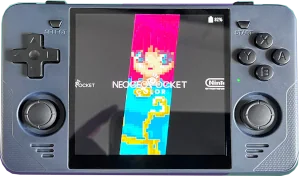
PowKiddy X17
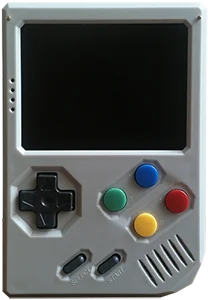
Z-Pocket Game Pro

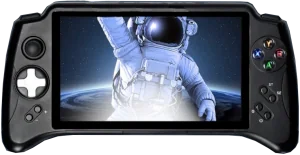
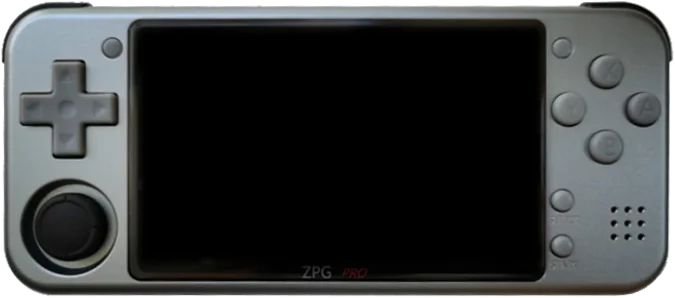
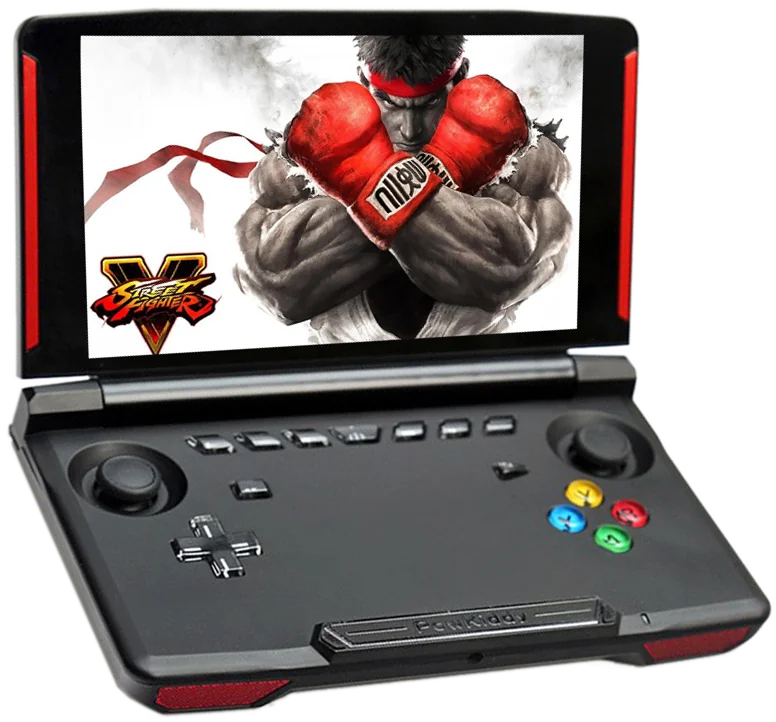
Shown to scale from each device’s real-world dimensions.

Quick verdict

Best value
PowKiddy X17
More portable
Z-Pocket Game Pro
Newer model
PowKiddy X17

Main differences

  • PowKiddy X17 has similar emulation coverage to Game Kiddy Z-Pocket Game Pro.
  • PowKiddy X17 is about $20 cheaper based on catalog pricing.
  • Game Kiddy Z-Pocket Game Pro is roughly 70% smaller.
  • PowKiddy X17 has a 60 Hz IPS Touchscreen screen, versus 60 Hz IPS on Game Kiddy Z-Pocket Game Pro.
  • PowKiddy X17 runs Android 7.0; Game Kiddy Z-Pocket Game Pro runs TheRA NTFS.

PowKiddy

PowKiddy X17

Details
Price
$130
OS
Android 7.0
Released
Jul 2021
Up to
N64
Screen
7.0 inch IPS Touchscreen
Weight
Unknown

No reviews yet

0 collectors

Game Kiddy / Z-Pocket Game

Z-Pocket Game Pro

Details
Price
$150
OS
TheRA NTFS
Released
Aug 2020
Up to
DS
Screen
3.5 inch IPS
Weight
214 grams

No reviews yet

0 collectors

Specs

BetterWorse

SpecPowKiddy X17Z-Pocket Game Pro
Price$130$150
OSAndroid 7.0TheRA NTFS
Screen7.0 inch3.5 inch
Aspect ratio128:753:2
Resolution1024 x 600320 x 480
PanelIPS TouchscreenIPS
ChipsetMediaTek MTK8163 V/BRockChip RK3326
CPUCortex-A53Cortex-A35
GPUMali-T720 MP2Mali-G31 MP2
RAM2 GB DDR31 GB DDR3
StorageInternal 32 GB eMMC, External MicroSDExternal MicroSD
Battery4000 mAh2830 mAh
WeightUnknown214 grams
Dimensions255 mm x 130 mm x 45 mm151 mm x 66 mm x 17 mm
Touch screenYesNo

Emulation

Excellent › Good › Playable › Limited › Unsupported

SystemPowKiddy X17Z-Pocket Game Pro
Classic systems
Game Boy
NES
Genesis
GBA
SNES
PS1
Mid-generation systems
DS
N64
Dreamcast
PSP
Saturn
Sixth-generation systems
GameCube
Wii
PS2
Modern systems
3DS
Switch
Wii U
PS3

Emulation source notes

  • PowKiddy X17 DS: Nintendo DS: Most games playable but mostly with frameskip, struggles with harder to emulate games
  • Z-Pocket Game Pro DS: Nintendo DS: Most games playable at full speed, a few games have lower frame rates but still mostly playable with frameskip This device does not have a touchscreen, so you won't be able to play DS games that rely heavily on the touchscreen
  • PowKiddy X17 3DS: Nintendo 3DS: Either cannot run any games at all or games are unplayably slow
  • Z-Pocket Game Pro 3DS: Nintendo 3DS: Either cannot run any games at all or games are unplayably slow
  • PowKiddy X17 GBA: Nintendo Game Boy Advance: Almost all games playable at full speed without frameskip
  • Z-Pocket Game Pro GBA: Nintendo Game Boy Advance: Almost all games playable at full speed without frameskip
  • PowKiddy X17 N64: Nintendo 64: Most games playable at full speed, a few games have lower frame rates but still mostly playable with frameskip
  • Z-Pocket Game Pro N64: Nintendo 64: Most games playable but mostly with frameskip, struggles with harder to emulate games
  • PowKiddy X17 NES: Nintendo Entertainment System: Almost all games playable at full speed without frameskip
  • Z-Pocket Game Pro NES: Nintendo Entertainment System: Almost all games playable at full speed without frameskip
  • PowKiddy X17 PS1: Sony Playstation: Almost all games playable at full speed without frameskip
  • Z-Pocket Game Pro PS1: Sony Playstation: Almost all games playable at full speed without frameskip
  • PowKiddy X17 PS2: Sony Playstation 2: Either cannot run any games at all or games are unplayably slow
  • Z-Pocket Game Pro PS2: Sony Playstation 2: Either cannot run any games at all or games are unplayably slow
  • PowKiddy X17 PS3: Sony Playstation 3: Either cannot run any games at all or games are unplayably slow
  • Z-Pocket Game Pro PS3: Sony Playstation 3: Either cannot run any games at all or games are unplayably slow
  • PowKiddy X17 PSP: Sony Playstation Portable: Only the easiest to emulate games are barely playable
  • Z-Pocket Game Pro PSP: Sony Playstation Portable: Most games playable but mostly with frameskip, struggles with harder to emulate games
  • PowKiddy X17 Wii: Nintendo Wii: Either cannot run any games at all or games are unplayably slow
  • Z-Pocket Game Pro Wii: Nintendo Wii: Either cannot run any games at all or games are unplayably slow
  • PowKiddy X17 SNES: Super Nintendo Entertainment System: Almost all games playable at full speed without frameskip
  • Z-Pocket Game Pro SNES: Super Nintendo Entertainment System: Almost all games playable at full speed without frameskip
  • PowKiddy X17 Wii U: Nintendo Wii U: Either cannot run any games at all or games are unplayably slow
  • Z-Pocket Game Pro Wii U: Nintendo Wii U: Either cannot run any games at all or games are unplayably slow
  • PowKiddy X17 Saturn: Sega Saturn: Only the easiest to emulate games are barely playable
  • Z-Pocket Game Pro Saturn: Sega Saturn: Only the easiest to emulate games are barely playable
  • PowKiddy X17 Switch: Nintendo Switch: Either cannot run any games at all or games are unplayably slow
  • Z-Pocket Game Pro Switch: Nintendo Switch: Either cannot run any games at all or games are unplayably slow
  • PowKiddy X17 Genesis: Sega Genesis / Mega Drive: Almost all games playable at full speed without frameskip
  • Z-Pocket Game Pro Genesis: Sega Genesis / Mega Drive: Almost all games playable at full speed without frameskip
  • PowKiddy X17 Game Boy: Game Boy / Game Boy Color: Almost all games playable at full speed without frameskip
  • Z-Pocket Game Pro Game Boy: Game Boy / Game Boy Color: Almost all games playable at full speed without frameskip
  • PowKiddy X17 GameCube: Nintendo GameCube: Either cannot run any games at all or games are unplayably slow
  • Z-Pocket Game Pro GameCube: Nintendo GameCube: Either cannot run any games at all or games are unplayably slow
  • PowKiddy X17 Dreamcast: Sega Dreamcast: Most games playable but mostly with frameskip, struggles with harder to emulate games
  • Z-Pocket Game Pro Dreamcast: Sega Dreamcast: Most games playable but mostly with frameskip, struggles with harder to emulate games

Frequently asked

What's the difference between the PowKiddy X17 and the Game Kiddy Z-Pocket Game Pro?
PowKiddy X17 has similar emulation coverage to Game Kiddy Z-Pocket Game Pro. PowKiddy X17 is about $20 cheaper based on catalog pricing. Game Kiddy Z-Pocket Game Pro is roughly 70% smaller. PowKiddy X17 has a 60 Hz IPS Touchscreen screen, versus 60 Hz IPS on Game Kiddy Z-Pocket Game Pro. PowKiddy X17 runs Android 7.0; Game Kiddy Z-Pocket Game Pro runs TheRA NTFS.
Which is cheaper, the PowKiddy X17 or the Game Kiddy Z-Pocket Game Pro?
The PowKiddy X17 is the cheaper of the two at around $130, roughly $20 less than the Game Kiddy Z-Pocket Game Pro based on catalog pricing.
Which is newer, the PowKiddy X17 or the Game Kiddy Z-Pocket Game Pro?
The PowKiddy X17 is the newer model, released in 2021.

Compare PowKiddy X17 with