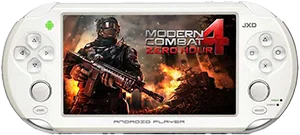
Device comparison

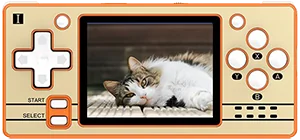
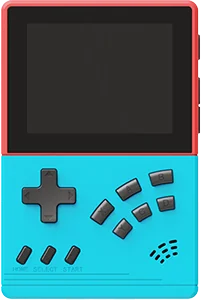
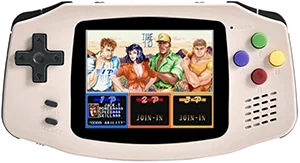
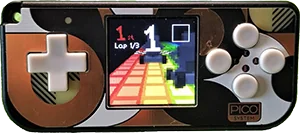
PowKiddy X21 vs. PowKiddy Q20 Mini

Compare specs, emulation support, community reviews, ownership, and play history.

Compare

With

PowKiddy Q20 Mini

Not shown to scale. Real-world dimensions are missing for one or both devices.

Quick verdict

Better screen
PowKiddy Q20 Mini
Newer model
PowKiddy Q20 Mini

Main differences

  • PowKiddy Q20 Mini has a 60 Hz IPS screen, versus TFT on PowKiddy X21.
  • PowKiddy Q20 Mini runs NxHope; PowKiddy X21 runs Linux.

PowKiddy

PowKiddy X21

Details
Price
Unknown
OS
Linux
Released
Unknown
Up to
Unknown
Screen
7.0 inch TFT
Weight
Unknown

No reviews yet

0 collectors

PowKiddy

PowKiddy Q20 Mini

Details
Price
$40
OS
NxHope
Released
Jul 2021
Up to
Genesis
Screen
2.4 inch IPS
Weight
82 grams

No reviews yet

0 collectors

Specs

BetterWorse

SpecPowKiddy X21PowKiddy Q20 Mini
PriceUnknown$40
OSLinuxNxHope
Screen7.0 inch2.4 inch
Aspect ratio5:34:3
Resolution800 x 480320 x 240
Refresh rateUnknown60 Hz
PanelTFTIPS
ChipsetUnknownAllwinner F1C100S
CPUUnknownARM926EJ-S
GPUUnknown2D accelerator
RAMUnknown32 MB SDRAM
StorageUnknownInternal 16 GB & External MicroSD
BatteryUnknown1200 mAh
WeightUnknown82 grams
DimensionsUnknown118 mm x 55 mm x 15 mm

Emulation

Excellent › Good › Playable › Limited › Unsupported

SystemPowKiddy X21PowKiddy Q20 Mini
Classic systems
Game BoyUnknown
NESUnknown
GenesisUnknown
GBAUnknown
SNESUnknown
PS1Unknown
Mid-generation systems
DSUnknown
N64Unknown
DreamcastUnknown
PSPUnknown
SaturnUnknown
Sixth-generation systems
GameCubeUnknown
WiiUnknown
PS2Unknown
Modern systems
3DSUnknown
SwitchUnknown
Wii UUnknown
PS3Unknown

Emulation source notes

  • PowKiddy Q20 Mini DS: Nintendo DS: Either cannot run any games at all or games are unplayably slow
  • PowKiddy Q20 Mini 3DS: Nintendo 3DS: Either cannot run any games at all or games are unplayably slow
  • PowKiddy Q20 Mini GBA: Nintendo Game Boy Advance: Most games playable at full speed, a few games have lower frame rates but still mostly playable with frameskip
  • PowKiddy Q20 Mini N64: Nintendo 64: Either cannot run any games at all or games are unplayably slow
  • PowKiddy Q20 Mini NES: Nintendo Entertainment System: Almost all games playable at full speed without frameskip
  • PowKiddy Q20 Mini PS1: Sony Playstation: Only the easiest to emulate games are barely playable
  • PowKiddy Q20 Mini PS2: Sony Playstation 2: Either cannot run any games at all or games are unplayably slow
  • PowKiddy Q20 Mini PS3: Sony Playstation 3: Either cannot run any games at all or games are unplayably slow
  • PowKiddy Q20 Mini PSP: Sony Playstation Portable: Either cannot run any games at all or games are unplayably slow
  • PowKiddy Q20 Mini Wii: Nintendo Wii: Either cannot run any games at all or games are unplayably slow
  • PowKiddy Q20 Mini SNES: Super Nintendo Entertainment System: Most games playable but mostly with frameskip, struggles with harder to emulate games
  • PowKiddy Q20 Mini Wii U: Nintendo Wii U: Either cannot run any games at all or games are unplayably slow
  • PowKiddy Q20 Mini Saturn: Sega Saturn: Either cannot run any games at all or games are unplayably slow
  • PowKiddy Q20 Mini Switch: Nintendo Switch: Either cannot run any games at all or games are unplayably slow
  • PowKiddy Q20 Mini Genesis: Sega Genesis / Mega Drive: Almost all games playable at full speed without frameskip
  • PowKiddy Q20 Mini Game Boy: Game Boy / Game Boy Color: Almost all games playable at full speed without frameskip
  • PowKiddy Q20 Mini GameCube: Nintendo GameCube: Either cannot run any games at all or games are unplayably slow
  • PowKiddy Q20 Mini Dreamcast: Sega Dreamcast: Either cannot run any games at all or games are unplayably slow

Frequently asked

What's the difference between the PowKiddy X21 and the PowKiddy Q20 Mini?
PowKiddy Q20 Mini has a 60 Hz IPS screen, versus TFT on PowKiddy X21. PowKiddy Q20 Mini runs NxHope; PowKiddy X21 runs Linux.

Compare PowKiddy X21 with