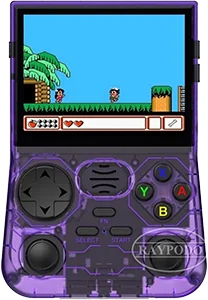
Device comparison

TinyCircuits Thumby vs. PowKiddy, Coolbaby PowKiddy X16

Compare specs, emulation support, community reviews, ownership, and play history.

Compare
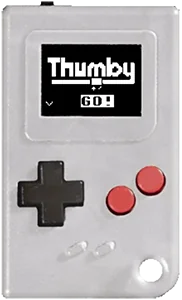
With
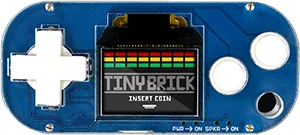
Thumby
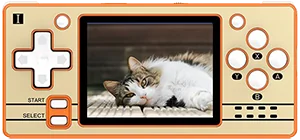
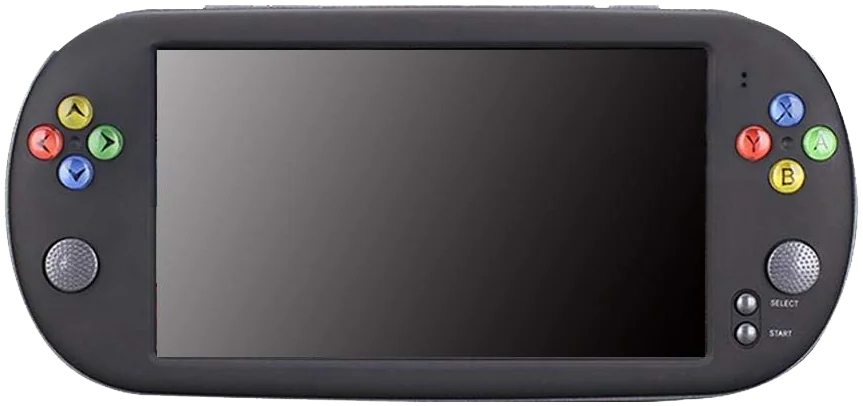
PowKiddy X16

Shown to scale from each device’s real-world dimensions.

Quick verdict

Best value
Thumby
Better screen
Thumby
More portable
Thumby
Newer model
Thumby

Main differences

  • PowKiddy, Coolbaby PowKiddy X16 has stronger listed emulation coverage.
  • TinyCircuits Thumby is about $26 cheaper based on catalog pricing.
  • TinyCircuits Thumby is roughly 98% smaller and 98% lighter.
  • TinyCircuits Thumby has a 60 Hz Monochrome OLED screen, versus 60 Hz TFT on PowKiddy, Coolbaby PowKiddy X16.
  • TinyCircuits Thumby runs Open Source Proprietary; PowKiddy, Coolbaby PowKiddy X16 runs µC/OS-II.

TinyCircuits

Thumby

Details
Price
$19
OS
Open Source Proprietary
Released
Jan 2022
Up to
Unknown
Screen
0.42 inch Monochrome OLED
Weight
5 grams

No reviews yet

0 collectors

PowKiddy, Coolbaby

PowKiddy X16

Details
Price
$45
OS
µC/OS-II
Released
Jan 2018
Up to
Genesis
Screen
7.0 inch TFT
Weight
286 grams

No reviews yet

0 collectors

Specs

BetterWorse

SpecThumbyPowKiddy X16
Price$19$45
OSOpen Source ProprietaryµC/OS-II
Screen0.42 inch7.0 inch
Aspect ratio9:55:3
Resolution72 x 40800 x 480
PanelMonochrome OLEDTFT
ChipsetRaspberry Pi RP2040Actions ATJ2279B
CPUCortex-M0+Actions ATJ2279B
GPU"Built in GPU"
RAM264 KB SRAM512 MB DDR2
StorageInternal 2 MBInternal 4/8/16 GB & External MicroSD
Battery40 mAh1800 mAh
Weight5 grams286 grams
Dimensions18 mm x 29.5 mm x 8.5 mm240 mm x 112 mm x 15mm

Emulation

Excellent › Good › Playable › Limited › Unsupported

SystemThumbyPowKiddy X16
Classic systems
Game Boy
NES
Genesis
GBA
SNES
PS1
Mid-generation systems
DS
N64
Dreamcast
PSP
Saturn
Sixth-generation systems
GameCube
Wii
PS2
Modern systems
3DS
Switch
Wii U
PS3

Emulation source notes

  • Thumby DS: Nintendo DS: Either cannot run any games at all or games are unplayably slow
  • PowKiddy X16 DS: Nintendo DS: Either cannot run any games at all or games are unplayably slow
  • Thumby 3DS: Nintendo 3DS: Either cannot run any games at all or games are unplayably slow
  • PowKiddy X16 3DS: Nintendo 3DS: Either cannot run any games at all or games are unplayably slow
  • Thumby GBA: Nintendo Game Boy Advance: Either cannot run any games at all or games are unplayably slow
  • PowKiddy X16 GBA: Nintendo Game Boy Advance: Most games playable at full speed, a few games have lower frame rates but still mostly playable with frameskip
  • Thumby N64: Nintendo 64: Either cannot run any games at all or games are unplayably slow
  • PowKiddy X16 N64: Nintendo 64: Either cannot run any games at all or games are unplayably slow
  • Thumby NES: Nintendo Entertainment System: Either cannot run any games at all or games are unplayably slow
  • PowKiddy X16 NES: Nintendo Entertainment System: Almost all games playable at full speed without frameskip
  • Thumby PS1: Sony Playstation: Either cannot run any games at all or games are unplayably slow
  • PowKiddy X16 PS1: Sony Playstation: Only the easiest to emulate games are barely playable
  • Thumby PS2: Sony Playstation 2: Either cannot run any games at all or games are unplayably slow
  • PowKiddy X16 PS2: Sony Playstation 2: Either cannot run any games at all or games are unplayably slow
  • Thumby PS3: Sony Playstation 3: Either cannot run any games at all or games are unplayably slow
  • PowKiddy X16 PS3: Sony Playstation 3: Either cannot run any games at all or games are unplayably slow
  • Thumby PSP: Sony Playstation Portable: Either cannot run any games at all or games are unplayably slow
  • PowKiddy X16 PSP: Sony Playstation Portable: Either cannot run any games at all or games are unplayably slow
  • Thumby Wii: Nintendo Wii: Either cannot run any games at all or games are unplayably slow
  • PowKiddy X16 Wii: Nintendo Wii: Either cannot run any games at all or games are unplayably slow
  • Thumby SNES: Super Nintendo Entertainment System: Either cannot run any games at all or games are unplayably slow
  • PowKiddy X16 SNES: Super Nintendo Entertainment System: Most games playable but mostly with frameskip, struggles with harder to emulate games
  • Thumby Wii U: Nintendo Wii U: Either cannot run any games at all or games are unplayably slow
  • PowKiddy X16 Wii U: Nintendo Wii U: Either cannot run any games at all or games are unplayably slow
  • Thumby Saturn: Sega Saturn: Either cannot run any games at all or games are unplayably slow
  • PowKiddy X16 Saturn: Sega Saturn: Either cannot run any games at all or games are unplayably slow
  • Thumby Switch: Nintendo Switch: Either cannot run any games at all or games are unplayably slow
  • PowKiddy X16 Switch: Nintendo Switch: Either cannot run any games at all or games are unplayably slow
  • Thumby Genesis: Sega Genesis / Mega Drive: Either cannot run any games at all or games are unplayably slow
  • PowKiddy X16 Genesis: Sega Genesis / Mega Drive: Most games playable at full speed, a few games have lower frame rates but still mostly playable with frameskip
  • Thumby Game Boy: Nintendo Game Boy / Game Boy Color: Either cannot run any games at all or games are unplayably slow
  • PowKiddy X16 Game Boy: Game Boy / Game Boy Color: Almost all games playable at full speed without frameskip
  • Thumby GameCube: Nintendo GameCube: Either cannot run any games at all or games are unplayably slow
  • PowKiddy X16 GameCube: Nintendo GameCube: Either cannot run any games at all or games are unplayably slow
  • Thumby Dreamcast: Sega Dreamcast: Either cannot run any games at all or games are unplayably slow
  • PowKiddy X16 Dreamcast: Sega Dreamcast: Either cannot run any games at all or games are unplayably slow

Frequently asked

What's the difference between the TinyCircuits Thumby and the PowKiddy, Coolbaby PowKiddy X16?
PowKiddy, Coolbaby PowKiddy X16 has stronger listed emulation coverage. TinyCircuits Thumby is about $26 cheaper based on catalog pricing. TinyCircuits Thumby is roughly 98% smaller and 98% lighter. TinyCircuits Thumby has a 60 Hz Monochrome OLED screen, versus 60 Hz TFT on PowKiddy, Coolbaby PowKiddy X16. TinyCircuits Thumby runs Open Source Proprietary; PowKiddy, Coolbaby PowKiddy X16 runs µC/OS-II.
Which is cheaper, the TinyCircuits Thumby or the PowKiddy, Coolbaby PowKiddy X16?
The TinyCircuits Thumby is the cheaper of the two at around $19, roughly $26 less than the PowKiddy, Coolbaby PowKiddy X16 based on catalog pricing.
Which is newer, the TinyCircuits Thumby or the PowKiddy, Coolbaby PowKiddy X16?
The TinyCircuits Thumby is the newer model, released in 2022.

Compare Thumby with