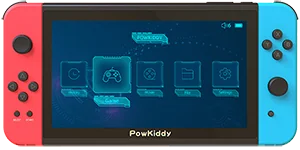
Overview
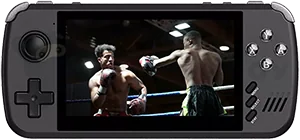
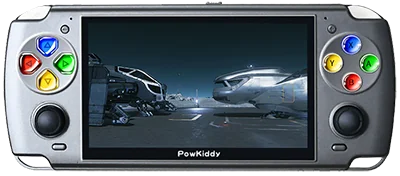
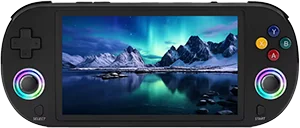
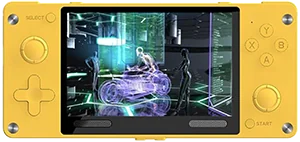
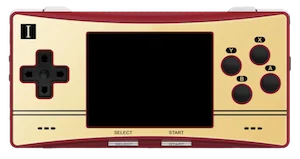
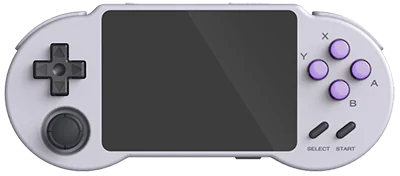
The PowKiddy X2 is a budget horizontal retro handheld from PowKiddy with a 7.0-inch 1024×600 IPS screen and runs RetroArch. It is best suited for Genesis, GBA, SNES, Game Boy, with support listed up to PS1. It typically sells for around $80.
- Screen
- 7.0 inch IPS
- Chipset
- RockChip RK3128
- RAM
- 512 MB
- Battery
- 3000 mAh
- OS
- RetroArch
Emulation
- Classicexcellent
- NESExcellent
- Game BoyExcellent
- SNESExcellent
- GBAExcellent
- GenesisExcellent
- PS1Good
- Mid-genlimited
- N64Limited
- DSLimited
- PSPNo
- DreamcastNo
- SaturnNo
- 6th genunsupported
- GameCubeNo
- WiiNo
- PS2No
- Modernunsupported
- 3DSNo
- Wii UNo
- PS3No
- SwitchNo
Notes on 18 systems
- DS: Nintendo DS: Only the easiest to emulate games are barely playable This device does not have a touchscreen, so you won't be able to play DS games that rely heavily on the touchscreen
- 3DS: Nintendo 3DS: Either cannot run any games at all or games are unplayably slow
- GBA: Nintendo Game Boy Advance: Almost all games playable at full speed without frameskip
- N64: Nintendo 64: Only the easiest to emulate games are barely playable
- NES: Nintendo Entertainment System: Almost all games playable at full speed without frameskip
- PS1: Sony Playstation: Most games playable at full speed, a few games have lower frame rates but still mostly playable with frameskip
- PS2: Sony Playstation 2: Either cannot run any games at all or games are unplayably slow
- PS3: Sony Playstation 3: Either cannot run any games at all or games are unplayably slow
- PSP: Sony Playstation Portable: Either cannot run any games at all or games are unplayably slow
- Wii: Nintendo Wii: Either cannot run any games at all or games are unplayably slow
- SNES: Super Nintendo Entertainment System: Almost all games playable at full speed without frameskip
- Wii U: Nintendo Wii U: Either cannot run any games at all or games are unplayably slow
- Saturn: Sega Saturn: Either cannot run any games at all or games are unplayably slow
- Switch: Nintendo Switch: Either cannot run any games at all or games are unplayably slow
- Genesis: Sega Genesis / Mega Drive: Almost all games playable at full speed without frameskip
- Game Boy: Game Boy / Game Boy Color: Almost all games playable at full speed without frameskip
- GameCube: Nintendo GameCube: Either cannot run any games at all or games are unplayably slow
- Dreamcast: Sega Dreamcast: Either cannot run any games at all or games are unplayably slow
Played on the PowKiddy X2
No sessions on the PowKiddy X2 yet. Own one? Add it to your shelf and your play shows up here.
Specifications
General
- Released
- April 2020
- Type
- Handheld, Horizontal
- Operating system
- RetroArch
- Price range
- Budget
Display
- Screen
- 7.0 inch IPS
- Resolution
- 1024 x 600 (128:75)
- Pixel density
- 169.55 PPI
- Refresh rate
- 60 Hz
Performance
- Chipset
- RockChip RK3128
- CPU
- Cortex-A7, 4 cores, 1.3 GHz
- GPU
- Mali-400 MP2, 500 MHz
- RAM
- 512 MB
- Storage
- External MicroSD
- Architecture
- ARM
Battery and build
- Battery
- 3000 mAh
- Dimensions
- ?
- Material
- Plastic
Controls
- D-pad
- Left
- Sticks
- Symmetrical
- Inputs
- Analog sticks
- Extra buttons
- Function, Power, Reset, Volume +-
Connectivity
- Ports
- HDMI out, 3.5mm jack
- Storage slot
- microSD
- Speakers
- Stereo
FAQ
What systems can the PowKiddy X2 emulate?
The PowKiddy X2 plays systems up to PS1 well. It is at its best with Genesis, GBA, SNES, Game Boy.
Can the PowKiddy X2 play PS1 games?
Yes. PS1 performance on the PowKiddy X2 is rated good in our catalog. Sony Playstation: Most games playable at full speed, a few games have lower frame rates but still mostly playable with frameskip
Can the PowKiddy X2 play N64 games?
Not well. N64 performance on the PowKiddy X2 is rated poor. Nintendo 64: Only the easiest to emulate games are barely playable
How much does the PowKiddy X2 cost?
The PowKiddy X2 typically sells for around $80, which puts it in the budget tier of retro handhelds.
What operating system does the PowKiddy X2 run?
The PowKiddy X2 ships with RetroArch.
What screen does the PowKiddy X2 have?
It has a 7.0 inch IPS display with a 128:75 aspect ratio, running at 1024 x 600 at 169.55 PPI.
Price alert
We’re not tracking prices for this one yet.
Reviews
No reviews of the PowKiddy X2 yet. Own one? Say what you play on it, which firmware you run, and where it sits in your rotation.