Track Steam Deck and SteamOS play sessions with retroshelf
Install the retroshelf Decky plugin on Steam Deck, Legion Go, ROG Ally, and other SteamOS or Bazzite handhelds to sync native Steam, non-Steam, and emulated play sessions.
What you need
Install the plugin
Install Decky Loader
If Decky is not installed yet, switch to Desktop Mode and follow the installation steps at
decky.xyz. On Bazzite, run ujust setup-decky install in a terminal
instead.
Enable Decky developer mode
Open the Decky panel, select the settings cog, then enable Developer mode under General.
Install from the retroshelf URL
Open Decky's new Developer tab. Under Install Plugin from URL, enter
https://retroshelf.org/decky.
Select Install, then reopen the Decky panel when installation finishes.
Link your account
Open the Quick Access menu, choose Decky, then retroshelf. Select Link retroshelf and enter the shown code at retroshelf.org/link.
What gets tracked
- Native Steam games use their Steam app ID for exact matching.
- Individual Heroic, Lutris, and other non-Steam shortcuts use their shortcut name.
- Steam ROM Manager shortcuts use the ROM path, including the MD5 ROM hash when the file is available.
- ES-DE 3.4+ is read from its cumulative playtime metadata when ES-DE closes. ES-DE itself is never counted as a game.
Desktop play outside Steam and ES-DE versions before 3.4 are not tracked. RetroDECK compatibility depends on the ES-DE metadata it exposes and remains best-effort.
Compatible devices
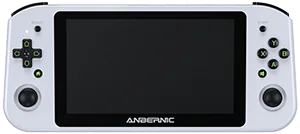
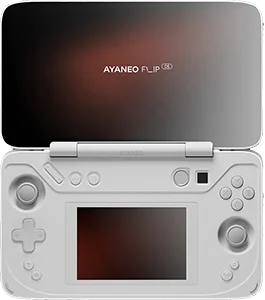
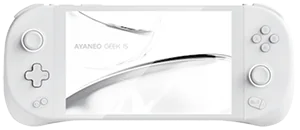
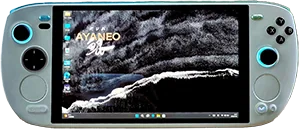
The retroshelf plugin works on handhelds running SteamOS or Bazzite. These are currently supported:
Anbernic





Asus & Microsoft

AYANEO











AYN Technologies



GamePad Digital


KONKR









One Netbook



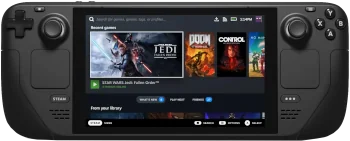

Bring your Steam history to retroshelf
Install the Decky plugin and link it from Gaming Mode.
Questions
Which games does the plugin track?
Native Steam games, named non-Steam shortcuts, Steam ROM Manager shortcuts, and ES-DE 3.4 or newer are supported. Heroic and Lutris games should be added as individual Steam shortcuts.
Does tracking work through suspend?
Yes. Suspending ends the current segment and resuming starts another. retroshelf merges nearby segments on the server.
Does this work on Bazzite?
Yes. The plugin runs in Gaming Mode on SteamOS and on Bazzite, on the Steam Deck and other x86 handhelds. It needs Decky Loader, which Bazzite installs with `ujust setup-decky install`.